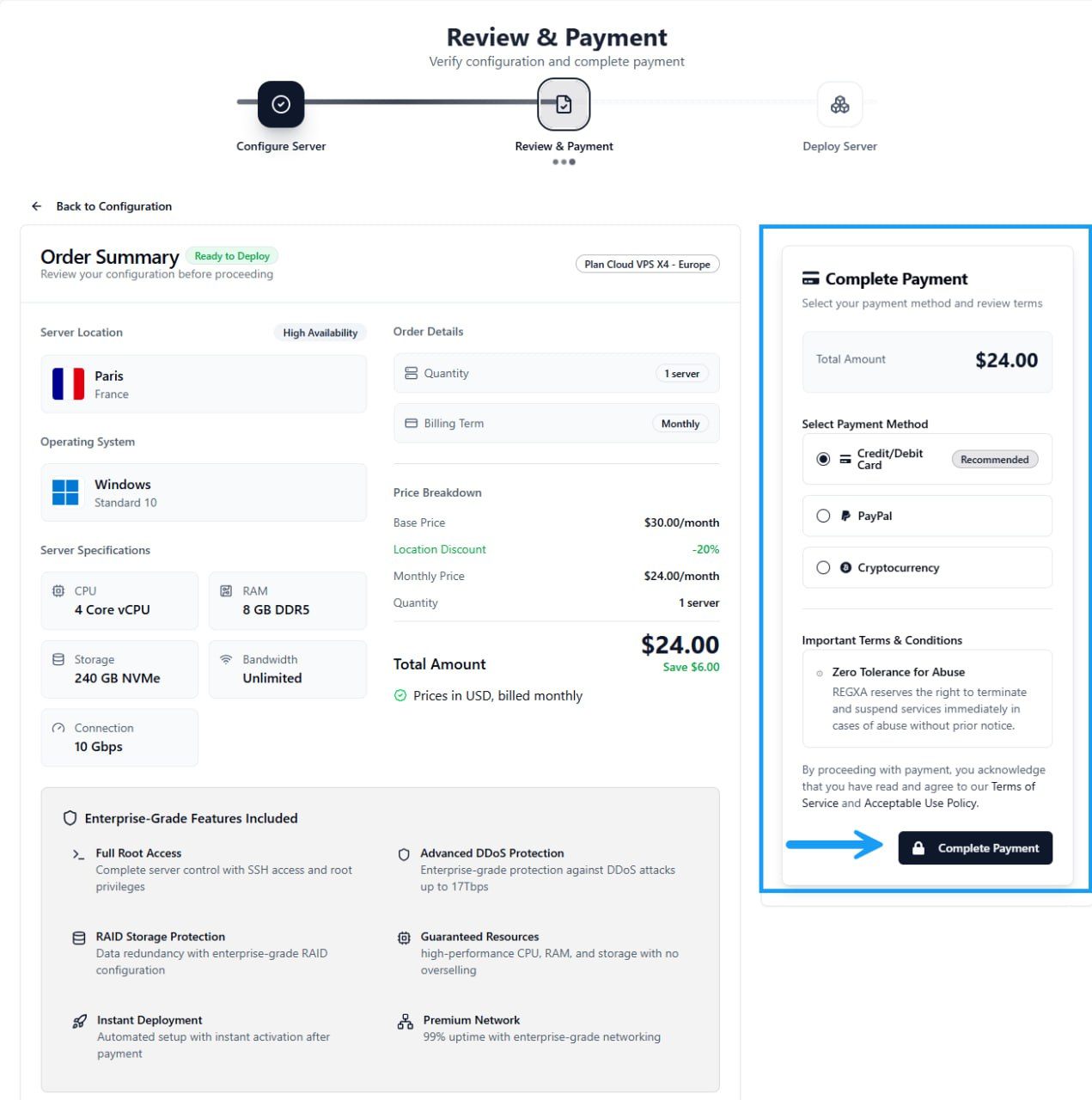

How to deploy new VPS in 5 steps
Deploy a new VPS in minutes with this step-by-step guide. Learn how to choose a location, configuration, operating system, and complete your order with ease.
Updated October 16, 20260 found this helpful
Learn how to Deploy New VPS in just a few easy steps. This guide walks you through selecting
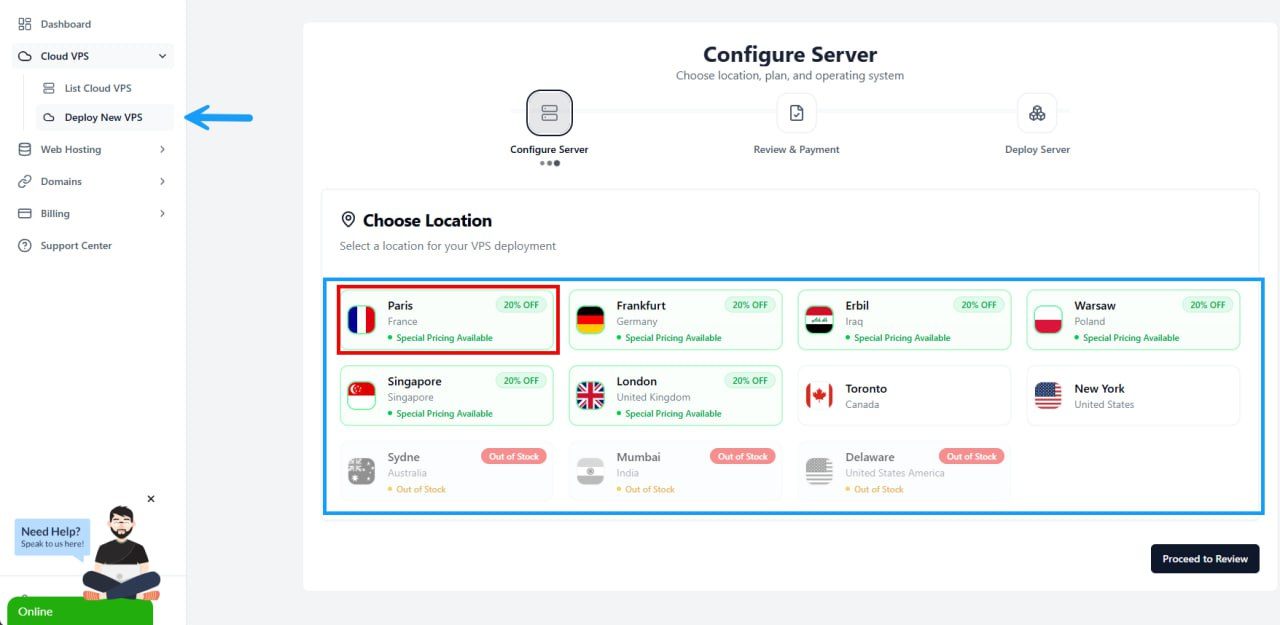
Step 1: Navigate to Deploy New VPS
Choose Location Select a location for your VPS deployment
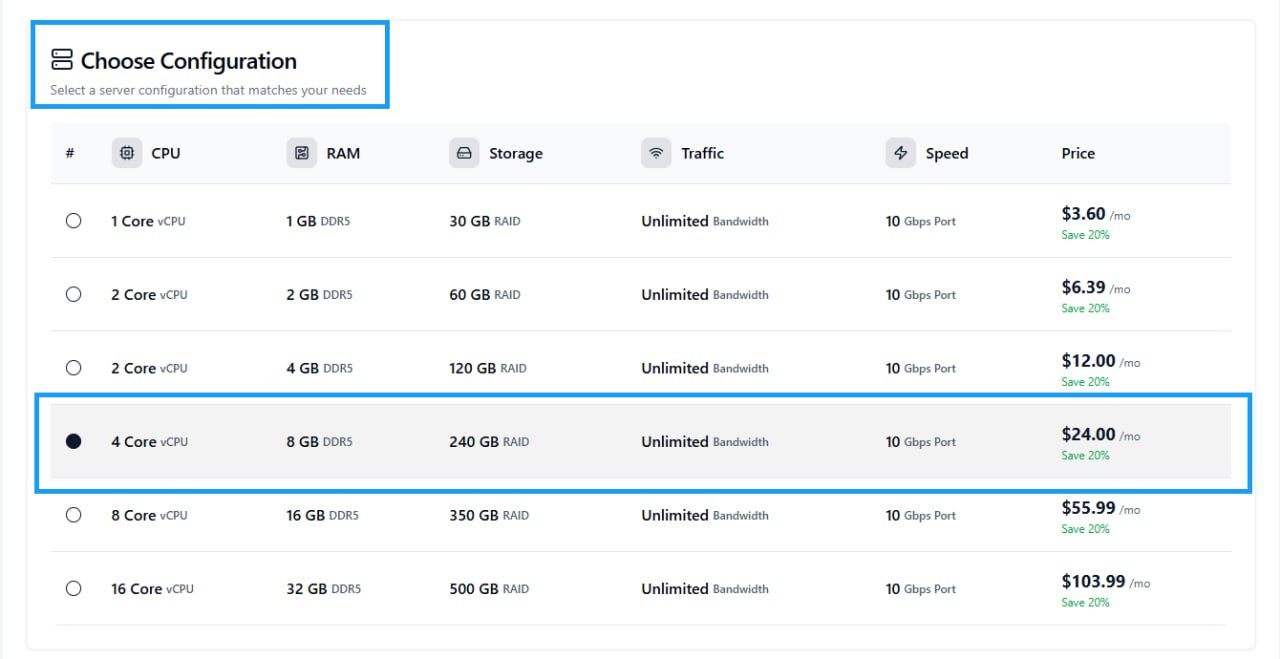
Step 2: Choose Configuration
Select a server configuration that matches your needs
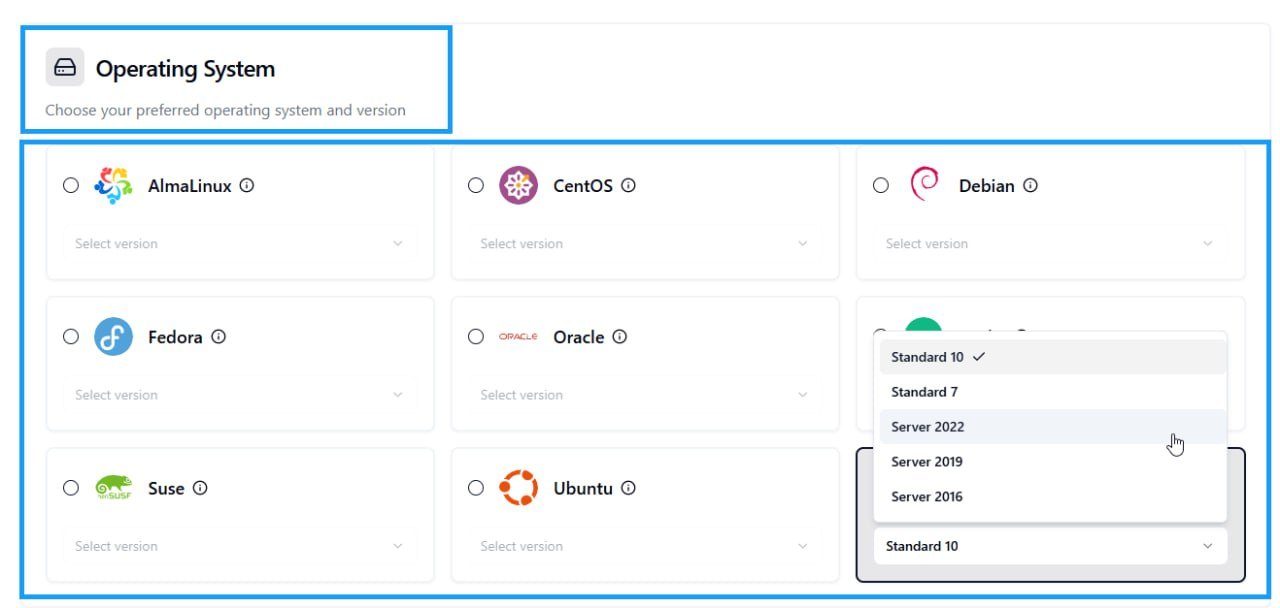
Step 3: Operating System
In this section you can specify your preferred operating system
Then click on Proceed to Review
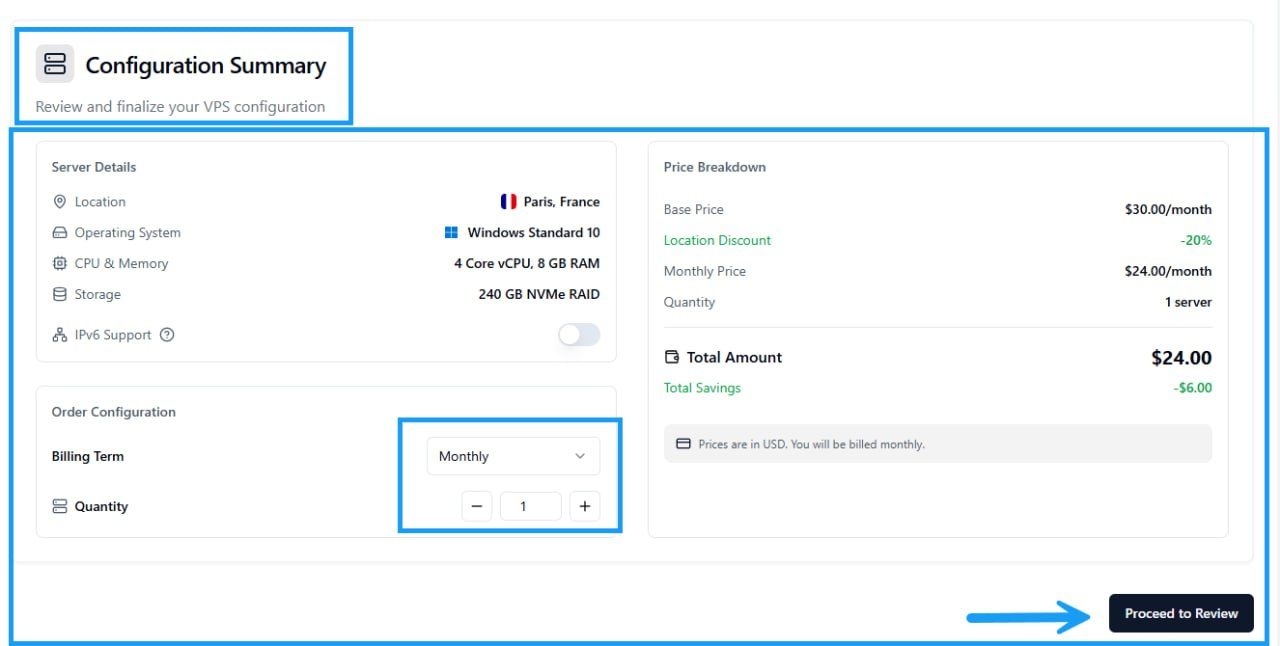
Step 4: Configuration Summary
Review and finalize your VPS configuration
Then click Proceed to Review
Step 5: Review & Payment
Verify configuration and complete payment