Regxa LogoRegxa Logo
  • Home
  • VPS
  • Hosting
  • Domains
  • Blog
Client area
Back to Help Center

How to Log In to Your REGXA Account

Learn how to quickly access your REGXA dashboard by logging in with your email and password, or using your Google or GitHub account.

Updated October 4, 20260 found this helpful
Header image for article: How to Log In to Your REGXA Account

Looking for more information?

Categories

  • Account Management

More Help

  • Browse all articles
  • Search help articles
  • Contact Support
Regxa LogoRegxa Logo

Products

  • Windows VPS
  • Linux VPS
  • MikroTik VPS
  • Web Hosting

Company

  • About REGXA
  • Contact Us
  • Report Abuse
  • System Status

Resources

  • Blog
  • Help Center
  • Support Center
  • SiteMap Pages

Legal

  • Terms of Service
  • Privacy Policy
  • Refund Policy
  • Acceptable Use Policy
  • All Legal Documents

© 2026 REGXA LLC. All rights reserved.

How to Log In to Your REGXA Account

  1. Visit regxa.com.

  2. Click on Dashboard located at the top right corner of the homepage.

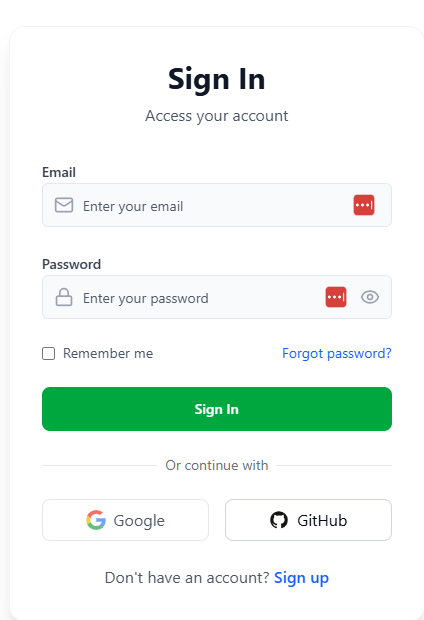
  3. Enter your Email and Password to log in.

  4. Alternatively, you can sign in using your Google or GitHub account.

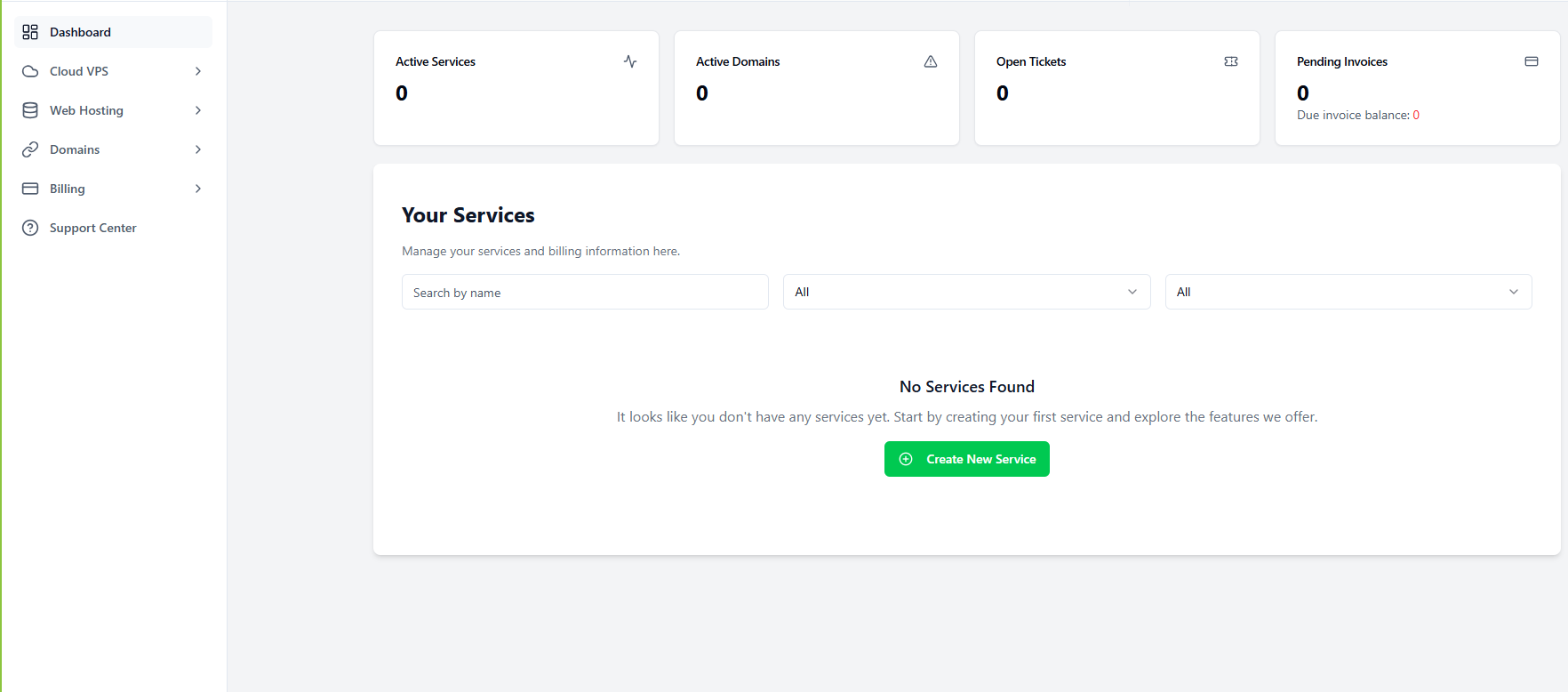
Once you're successfully signed in, you'll see your Dashboard
Article Actions