

DDoS Protected VPS: How to Choose the Right Protection
Choose protection for the service your users need. Compare attack layers, protocol coverage, clean traffic limits, null-route behavior, and recovery options.

A DDoS protected VPS combines virtual server hosting with measures intended to reduce the impact of distributed denial-of-service attacks. Before buying, check which protocols and attack layers are covered, where traffic is filtered, what limits apply, and whether legitimate users can stay connected during mitigation. A large advertised capacity figure is only one part of that decision.
The right protection depends on what you run. A website, a UDP game server, a business API, and a Windows remote desktop have different traffic patterns and different ways to fail under load.
This guide explains how to compare those requirements. To review hosting configurations, see REGXA's DDoS protected VPS plan
What does DDoS protection actually protect?
A denial-of-service attack aims to make a service unavailable. A distributed attack uses multiple sources or distributed traffic to create that pressure. The result can be a saturated network connection, exhausted server resources, or an application that cannot process legitimate requests.
Protection is useful when it reduces malicious traffic while preserving the traffic your service needs. Simply dropping every packet to the server may protect other infrastructure, but it does not keep your application available.
Assess the complete path to the service: upstream network, hosting node, virtual machine, application, and dependencies such as DNS or authentication. A weakness anywhere on that path can interrupt users.
L3, L4, and L7: why the distinction matters
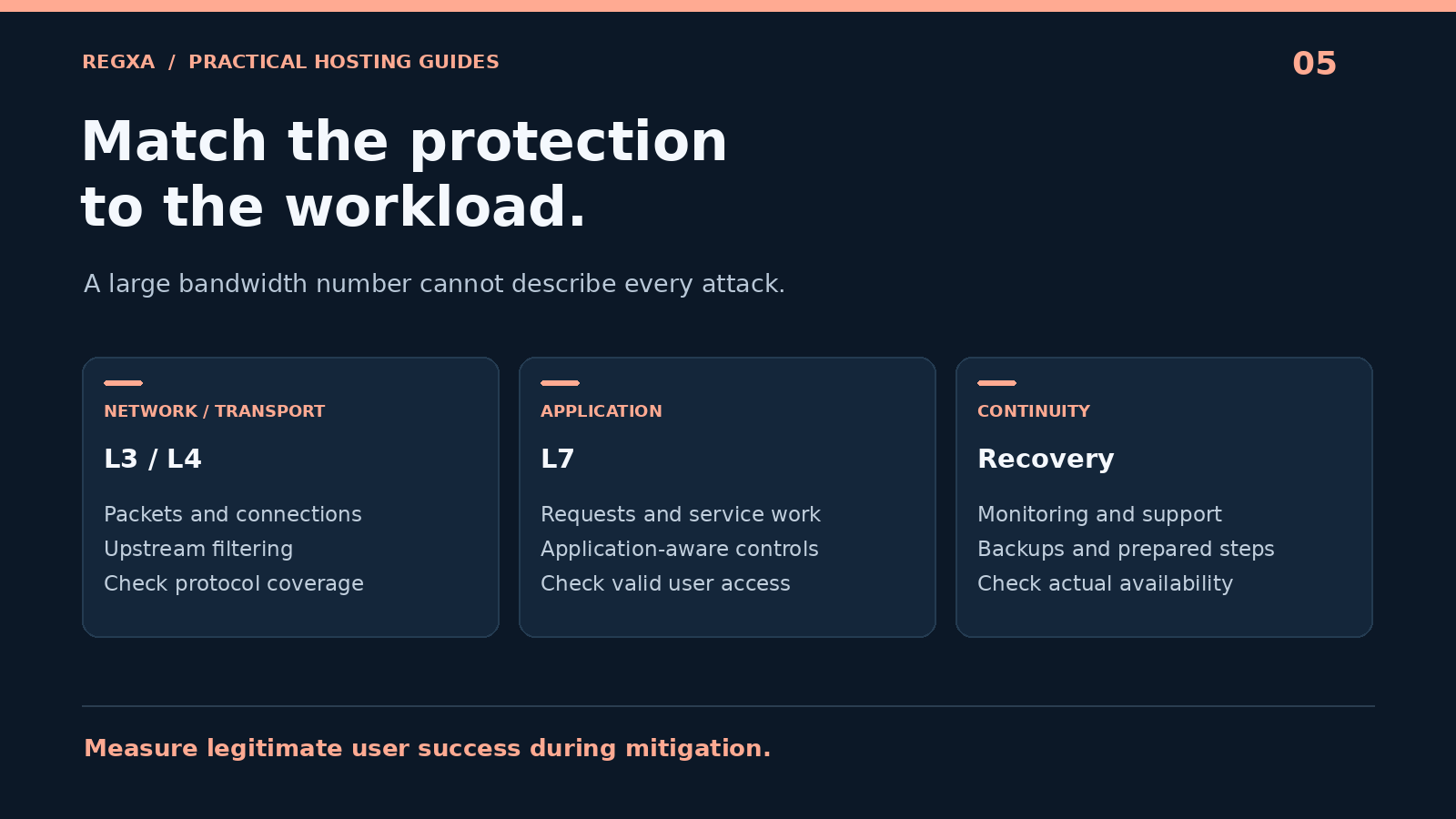
Hosting plans often use layer numbers to describe coverage. The practical question is which type of pressure the protection can recognize and handle.
Coverage area | Example of attack pressure | Protection to discuss with the provider |
|---|---|---|
Network and transport layers, commonly L3/L4 | Packet floods, amplification traffic, or excessive connection attempts | Upstream filtering, protocol handling, and packet or connection limits |
HTTP application layer, L7 | Large volumes of requests that consume application resources | HTTP-aware filtering, rate controls, caching, and bot or request analysis |
Other application protocols | Abusive game, DNS, or custom protocol requests | Protection designed for the actual protocol and its valid traffic |
Cloudflare's DDoS protection documentation provides examples of how network, DNS, and HTTP protections address different attack types. Those product capabilities illustrate the distinction; they do not establish what a separate VPS plan includes.
If a plan includes network-layer mitigation, ask separately about application-layer protection. A server can remain network-reachable while its login endpoint or database is overloaded.
Match protection to your workload
Websites and online stores
For public websites, evaluate upstream network protection together with an HTTP reverse proxy or CDN, application rate limits, and appropriate caching. Pay special attention to expensive uncached routes such as search, login, cart operations, and dynamic exports.
Test important customer journeys when enabling controls. A configuration that blocks legitimate checkout or account access creates its own availability problem.
APIs
An API may receive valid automated traffic that looks different from a human browsing a website. Check whether controls understand API keys, authenticated users, and endpoint-specific limits. A challenge page intended for browsers can break a machine client.
Record expected request rates and error behavior before deploying a new rule. Where practical, return useful rate-limit responses and make sure your clients handle them.
Game and voice servers
Check the actual TCP or UDP ports, expected packet rates, and how mitigation treats valid sessions. Latency and packet loss during filtering may matter more than headline bandwidth.
Ask whether the selected location and plan support your game's protocol. “Gaming protection” is too broad unless the provider can explain which traffic it covers and how a customer reports false positives.
RDP and administrative access
Network protection does not replace strong authentication or a restricted administrative access path. A Windows VPS should still have appropriate RDP controls, updates, and account protection.
For a remote desktop workload, review REGXA's RDP options and ask about both connectivity protection and recovery access if the main network path is disrupted.
Why a large Tbps number is not enough
An advertised mitigation capacity may describe a provider's entire network, an upstream supplier, or a particular deployment. It should not automatically be interpreted as capacity reserved for your VPS or available equally in every region.
Ask what the figure covers and which conditions apply to your order. Then compare it with the clean traffic the VPS can actually receive and the limits of your application.
Metric | Why it matters |
|---|---|
Bits per second | Helps describe bandwidth pressure and network saturation |
Packets per second | Reveals pressure that may be high even with relatively low bandwidth |
New connections per second | Helps assess connection handling and state exhaustion |
Application requests per second | Shows work reaching the application layer |
Legitimate request success rate | Indicates whether customers can still complete tasks |
Latency and packet loss | Describe the user experience while filtering is active |
Time to effective mitigation | Shows how long service impact lasts before controls work |
A single chart cannot establish service availability. Combine network measurements with checks that perform a real operation, such as opening the website, authenticating to a test endpoint, or connecting a game client.
Understand always-on, on-demand, and null-route behavior
Always-on protection filters traffic through a protected path continuously. On-demand protection changes handling after an attack is detected or mitigation is activated. Ask how detection, activation, routing changes, and return to normal operation work for the selected service.
Also ask about null-routing or blackholing. This discards traffic to an affected destination and can isolate the impact of an attack, but it generally makes that destination unreachable through the dropped route. It is different from successfully delivering filtered traffic to the application. Cloudflare explains this tradeoff in its blackhole routing overview.
Before purchasing, establish when a provider may null-route an IP, how you are notified, and what must happen before connectivity returns. That information can be more useful during an incident than a broad promise of “unlimited protection.”
Does a CDN protect every service on the VPS?
No. A standard website proxy protects traffic that passes through the supported proxy path. It does not automatically cover arbitrary ports, protocols, or direct connections to the origin IP.
For example, Cloudflare documents its supported HTTP and HTTPS ports and separate options for additional protocols. Do not assume that adding a proxied DNS record protects an RDP endpoint or a UDP game server on the same machine.
For a proxied website, secure the origin so that unwanted direct access cannot simply bypass the intended controls. Review exposed DNS records and other services that share the address. Preserve the access required for administration and integrations when applying restrictions. Cloudflare's origin protection guidance describes several approaches and their tradeoffs.
The architecture should match the service. A website-only configuration and a VPS hosting several public protocols need different designs.
Questions to ask before buying a DDoS protected VPS
Send the provider a short description of your workload, location preference, public ports, and normal traffic. Then ask:
- Which attack layers and protocols are protected for this exact plan and region?
- Is mitigation always active, automatic on detection, or manually enabled?
- What limits apply to attack size, duration, packet rate, or protected destinations?
- How much legitimate traffic can the service receive during mitigation?
- Under which conditions can the IP be null-routed, and for how long?
- Are IPv4 and IPv6 protected under the same conditions?
- What alerts, attack records, and support channels are available?
- What happens if filtering blocks legitimate customers?
- Are there additional charges, fair-use conditions, or upgrade requirements?
- What service-level commitments and exclusions apply to attack-related downtime?
REGXA advertises DDoS protection on its protected VPS page. Confirm the plan-specific scope and regional conditions before depending on it for a particular application. Obtain written answers for requirements that determine whether the service is suitable.
Build a recovery plan around the protection
DDoS mitigation addresses availability threats; it does not replace patching, backups, credential protection, or application design.
Before going live, record normal traffic and response behavior, identify the provider's incident contact route, and test your monitoring. Keep a recovery console available and maintain backups outside the affected server.
For important services, decide what your team will do if the primary application remains unavailable. Options may include a separate status page, a maintenance response, or a tested secondary deployment. Choose according to your budget and recovery needs rather than assuming every project needs a complex failover system.
If you plan a load or mitigation test, agree on scope and timing with the infrastructure provider and use an authorized testing arrangement. Ordinary performance testing and DDoS simulation can affect shared systems differently.
What to do when an attack starts
Use a short incident checklist that keeps evidence and service impact together:
- Confirm customer impact. Test from more than one monitoring location and identify the affected operation.
- Record the basics. Capture the start time, destination IP, protocol, symptoms, and available traffic measurements.
- Check provider status. Determine whether mitigation is active, a destination is null-routed, or the network itself has an incident.
- Contact support with context. Include the workload and relevant measurements without sending credentials or unnecessary customer data.
- Apply prepared controls. Prefer understood rules with a rollback path over broad emergency changes that may block valid users.
- Check recovery at the application level. Confirm that real user operations succeed, then record what needs improvement.
If the network traffic returns to normal but the application remains slow, investigate resource exhaustion, connection handling, worker limits, and downstream dependencies. A successful network filter does not automatically clear every effect inside the application.
Frequently asked questions
Is every VPS with a firewall DDoS protected?
No. A firewall can restrict traffic, but its location and processing capacity matter. Filtering inside the VPS cannot recover an upstream connection that is already saturated before traffic reaches it.
Does DDoS protection prevent every outage?
No. Attacks can exceed a service's scope, controls can affect legitimate traffic, and unrelated failures can occur. Evaluate the documented protection and your own recovery plan.
Is L3/L4 protection enough for a website?
It can address important network and transport threats. A website may also need HTTP-aware protection and application controls, especially for expensive dynamic requests.
Does protection cover IPv6 too?
Confirm it explicitly. The presence of an IPv6 address does not establish that its mitigation path and policies match IPv4.
Can I host a game server on a protected VPS?
Choose a plan that supports the game's resource needs, ports, and traffic pattern. Ask about UDP or TCP handling and test latency and valid sessions under agreed conditions.
Should I choose the provider with the largest capacity figure?
Use capacity as one factor. Coverage for your protocol, regional delivery, clean traffic limits, null-route policy, support, and observed application availability are also relevant.
Choose protection around the service your users need
A suitable DDoS protected VPS provides a clear answer to what is filtered, where filtering happens, and what happens when limits are reached. Combine that service with application controls, monitoring, and a recovery plan you can use under pressure.
Compare REGXA DDoS protected VPS options and confirm the coverage required for your application and location.
Related Topics
DDoS Protected VPS: How to Choose the Right Protection