

Buy VPS with Bitcoin: A Practical Payment and Setup Guide
A practical guide to choosing a VPS, paying a Bitcoin invoice, resolving payment delays, and keeping the server funded and secure after deployment.

To buy VPS with Bitcoin, choose a hosting plan, select BTC on the invoice, send the requested amount using the specified payment method, and wait for the provider to accept the payment. Then deploy and secure the server. The details that matter most are invoice expiry, transaction fees, payment confirmation, and how the next renewal will be funded.
Bitcoin changes how you pay for hosting. It does not decide the server's speed, management level, or suitability for your application. A useful buying process checks the VPS and the payment workflow together.
This guide walks through both. For available hosting options, start with REGXA's Bitcoin VPS page
What is a Bitcoin VPS?
A Bitcoin VPS is a virtual private server that you can pay for using BTC. The server can host ordinary websites, APIs, development environments, or other permitted applications. It does not need to run blockchain software simply because the invoice was paid in cryptocurrency.
The important distinction is between the workload and the payment method. Running a blockchain node may require substantial storage and bandwidth. Paying for a small website with Bitcoin does not create those requirements.
Cryptocurrency mining is a separate workload with separate resource and policy considerations. Check the host's permitted-use rules before ordering compute for mining; Bitcoin payment should never be treated as permission to run it.
Select the VPS before opening a payment invoice
Decide on your application requirements first. An expiring payment quote is an inconvenient place to start comparing Linux distributions, server regions, and backup options.
Decision | What to establish before paying |
|---|---|
Operating system | A supported Linux distribution or Windows image that matches your software |
CPU and memory | Enough capacity for normal use and expected peaks |
Storage | Space for applications, data growth, logs, and updates |
Location | Connectivity appropriate for your users and external dependencies |
Network | Port speed, included transfer, IPv4/IPv6 availability, and any restrictions |
Management | Who maintains the operating system, application, and backups |
Billing | Renewal date, total cost, and how prepaid funds are applied |
For a new project, write a simple capacity estimate and revisit it after observing real use. For a migration, measure the existing application rather than choosing only by the current server's advertised specifications.
You can compare Linux VPS options or Windows VPS options, then use the payment methods offered for your selected order.
How to buy a VPS with Bitcoin, step by step
1. Create and secure your hosting account
Use an email address you can reliably access for invoices, support, and renewal notices. Enable available account security controls before the service contains important data. Record recovery information securely.
Provide the information required by the provider's current terms. Paying in BTC does not establish whether document verification is required, nor does it remove the provider's account rules.
2. Confirm the configuration and total
Check the region, operating system, billing period, add-ons, and any taxes displayed at checkout. Make sure the order is for the intended service and that you understand the renewal amount.
A provider may bill each invoice individually or let you fund an account balance. Those models have different renewal behavior. Read the invoice and billing information instead of assuming your next month will be paid automatically from your wallet.
3. Select the Bitcoin method shown on the invoice
Use the address or payment request displayed for that invoice. Verify the destination on your wallet's confirmation screen as well as the checkout page.
An on-chain BTC address, a Lightning invoice, and a token representing Bitcoin on another network are different payment methods. Use Lightning or a tokenized asset only when the invoice explicitly supports it. Never infer compatibility from a similar ticker or logo.
4. Check the amount, expiry, and sending fee
An invoice may hold its BTC quote for a limited period. Send within the displayed window and check what happens if the invoice expires before payment is completed.
If you withdraw from an exchange, review the withdrawal fee and the amount that will actually arrive. A deduction can leave the invoice underpaid. Avoid sending a small test payment to a time-limited invoice unless the processor explicitly supports that workflow; it may create a partial payment that needs manual reconciliation.
Bitcoin transactions are not reversed through a normal card-style chargeback. A merchant refund, where allowed, is a separate process. Bitcoin.org explains these payment considerations in its introductory guidance.
5. Wait for payment acceptance and provisioning
Your wallet showing “sent” does not necessarily mean the hosting invoice is settled. Keep the invoice open or return to it through your account, and wait for the provider's paid status and service notification.
For on-chain payments, confirmation time varies. Bitcoin's average block interval is about ten minutes, but that is not a promised checkout time. The fee, network conditions, and the merchant's confirmation requirement affect acceptance. See Bitcoin.org's explanation of confirmations.
Do not repeatedly create and pay new invoices because the first one has not updated. Record the invoice ID and transaction ID, then contact support if the displayed state needs investigation.
6. Deploy, verify, and secure the server
Once the service is ready, check that its resources and location match the order. Apply operating system updates, configure restricted administrative access, and install only the services you need.
Keep recovery access available while changing SSH or firewall settings. Arrange a separate backup and verify a restore before moving production data. A successful payment confirms billing; it does not verify that your application is ready for users.
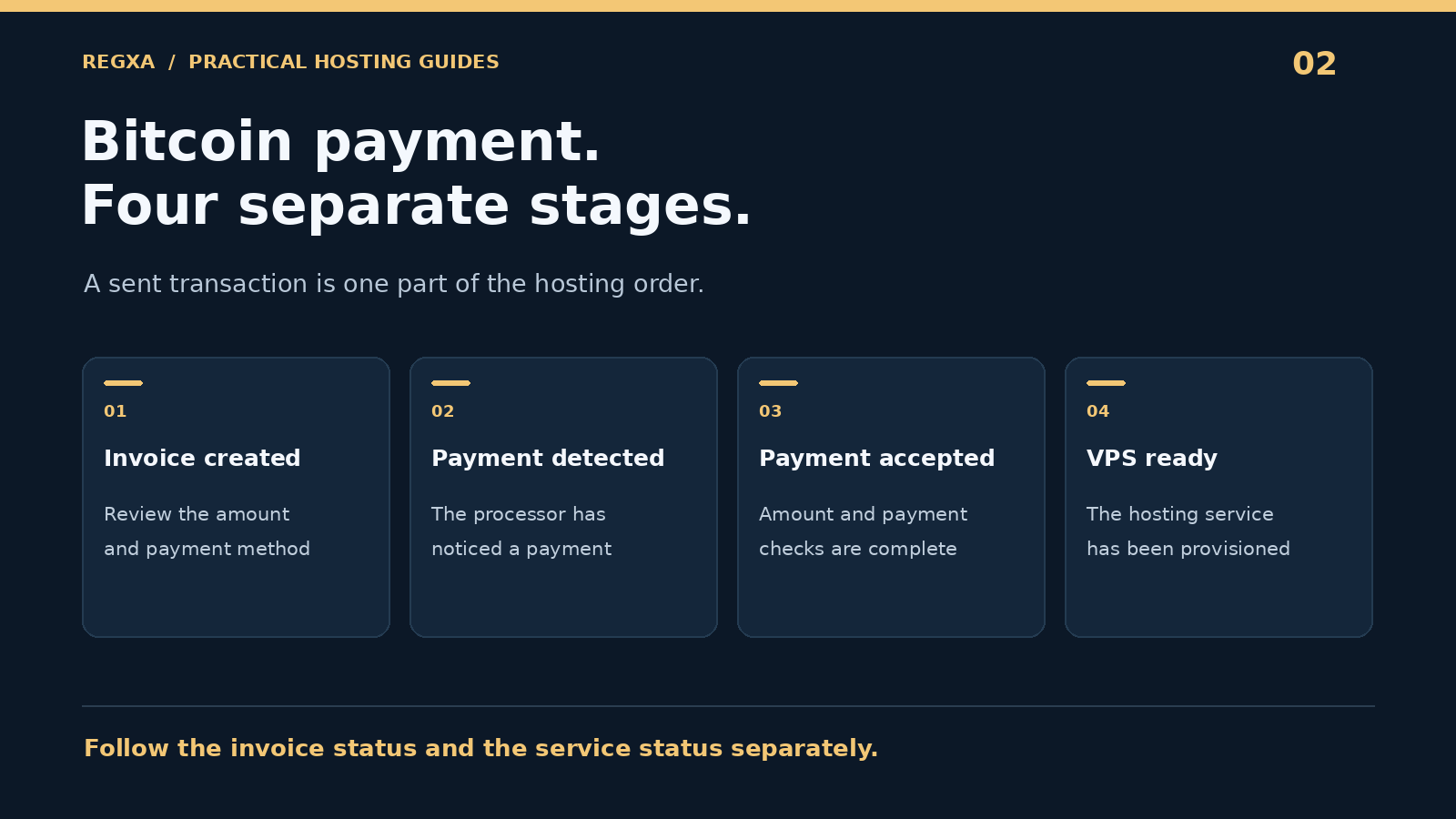
Understand the four stages of a crypto order
Payment processors use different labels, but separating these stages makes troubleshooting easier:
Stage | What it means for the buyer |
|---|---|
Invoice created | You have payment instructions; the service is not necessarily paid |
Payment detected | A transaction has been noticed; confirmation or amount checks may remain |
Payment accepted | The processor or merchant has accepted the invoice payment |
Service provisioned | The hosting system has created or renewed the service |
These are separate events. As an example of payment-state handling, BTCPay Server's invoice documentation distinguishes processing from settled payments and identifies partial, late, and excess payments. That documentation illustrates the concept; it does not mean REGXA uses BTCPay Server or follows its settings.
What if a Bitcoin payment goes wrong?
Keep a small payment record: invoice ID, asset and payment method, transaction ID, amount sent, and time sent. Share it only through the provider's official support channel. A support agent does not need your wallet seed phrase or private key.
Situation | Next action |
|---|---|
The invoice expired before you sent anything | Generate current payment instructions through your account |
You already sent to an expired invoice | Ask support to reconcile that payment before sending again |
The amount received is too low | Follow the processor's instructions; do not guess whether another transfer will be combined |
The transaction is unconfirmed | Check the wallet status and current invoice instructions |
The invoice is paid but the VPS is missing | Report a provisioning issue with the order and invoice references |
You used the wrong asset or network | Contact support promptly; recovery depends on technical access and may be impossible |
For a production renewal, allow time to resolve these cases. Waiting until the last hour before service expiry turns an ordinary payment delay into an availability risk.
How much does paying in Bitcoin cost?
Compare the hosting price and the payment overhead separately. Possible components include the server charge, exchange spread, withdrawal fee, network fee, and any processor fee disclosed at checkout.
For illustration only, suppose a hosting invoice is worth $20 and your chosen sending method adds costs equivalent to $2. Your outlay is $22, so payment overhead adds 10% to that purchase. These figures are not REGXA prices or current Bitcoin fees; the example shows why small invoices deserve a fee check.
Funding several months at once may reduce repeated payment overhead, but it also commits more money to the provider. Balance that tradeoff against cancellation terms and your project's expected lifetime. Do not buy a longer term solely to avoid one transaction fee.
Plan renewals and refunds before you need them
A VPS needs continuous funding if you want continuous service. Know whether your account uses balance deductions, manually paid invoices, or another arrangement. Keep invoice emails enabled and set a reminder before the due date.
Ask how cancellations, unused service, and cryptocurrency refunds are handled. An account credit and a payment returned to a wallet are different outcomes. The asset, conversion rate, network fee, and eligibility may all matter.
Review REGXA's refund policy alongside the Terms of Service, and obtain clarification before ordering if a refund condition affects your decision. Do not assume a hosting cancellation reverses the original blockchain transfer.
Does Bitcoin make a VPS anonymous?
Bitcoin allows payment without using a bank card, but its public transaction history can be linked to other records. It should not be described as an automatic anonymity system. Bitcoin.org's privacy guide explains the visibility of on-chain transactions.
The hosting provider's account, access, and support records are a separate privacy question. Read the privacy policy and assess what information your application collects as well. Crypto payment, identity verification, and logging are three distinct subjects.
For REGXA, start with the published Privacy Policy rather than assuming a payment method changes data handling.
Frequently asked questions
Can I buy a VPS with Bitcoin without a credit card?
REGXA's Bitcoin VPS page advertises BTC checkout without a card. Check the options on your actual order because payment availability can vary.
How quickly will my Bitcoin VPS be ready?
It depends on payment acceptance and provisioning. An on-chain transfer may need confirmations, and the selected server configuration must be available. Use the invoice and service status for your order.
Can I use Bitcoin for Windows VPS hosting?
Bitcoin is a payment method rather than an operating system. Select a compatible Windows plan and confirm that BTC is available at checkout, including any Windows licensing costs.
Is a Bitcoin VPS cheaper than a normal VPS?
The underlying service may be priced the same. Compare the full checkout amount and your sending costs; paying in BTC does not inherently improve the server's price or performance.
Does every renewal withdraw Bitcoin from my wallet?
Do not assume it does. Many hosting arrangements require a paid invoice or sufficient prepaid balance. Confirm the provider's billing model and keep the account funded before renewal.
Buy the service, then protect its continuity
A good Bitcoin hosting purchase has three clear outcomes: the right server, an accepted payment, and a reliable renewal plan. Keep the invoice record, test the deployment, and give backups and account security the same attention as checkout.
Explore REGXA Bitcoin VPS hosting to choose a configuration and review the payment options for your order.
Related Topics
Buy VPS with Bitcoin: A Practical Payment and Setup Guide