

Buy a Domain with Crypto: Registration, Privacy and Renewals
Go from domain search to secure ownership and renewal planning. Understand crypto payment, accurate registration details, domain privacy, and DNS setup.

To buy a domain with crypto, check that the name is available, review the registration and renewal price, enter the required registrant details, and pay using a cryptocurrency method shown at checkout. After payment, confirm that registration succeeded, complete any contact verification, and configure DNS. Paying with crypto changes checkout; it does not remove the domain's renewal or registration requirements.
A good domain purchase should leave you with more than a payment receipt. You need control of the registered name, a reliable recovery account, and a plan to keep the domain active after the first term.
This guide explains each stage. If you are ready to check a name, begin with REGXA's crypto domain registration option
What does buying a domain with cryptocurrency mean?
For a conventional domain such as a .com or .org, cryptocurrency is simply one way to pay the registrar or reseller. The domain still uses the Domain Name System, has a registration term, and remains subject to its registry and registration agreement.
This is different from purchasing a blockchain naming asset. A name associated with a blockchain system can have a different resolution model, ownership mechanism, and level of compatibility with ordinary browsers and email. Confirm which product you are buying before treating it as the address for a public business website.
For a standard website, prioritize a domain your audience can type, remember, and use through its usual software. The payment method can then fit your budget and accounting workflow.
Check more than the first-year price
A low introductory price can hide a much higher renewal cost. Some names also carry premium pricing, minimum registration terms, or extension-specific conditions.
Item | Question to answer before checkout |
|---|---|
Name and extension | Is the spelling correct, and is this the exact extension you want? |
Registration term | How many years are being purchased? |
Renewal | What is the renewal price, and does premium renewal pricing apply? |
Privacy | What information is public for this extension and service? |
DNS | Are DNS hosting and the records you need supported? |
Account security | Are MFA, recovery controls, and a transfer lock available? |
Payment | Which asset, network, fees, and invoice expiry apply? |
Cancellation | What happens if payment succeeds but registration cannot be completed? |
As a hypothetical comparison, a domain that costs $3 initially and $35 for each of the next two years totals $73 over three years. Another costing $15 per year totals $45. These are examples, not REGXA prices, and exclude fees and future price changes. The useful comparison is the expected holding cost, not the introductory discount alone.
How to buy a domain with crypto, step by step
1. Search for the exact name
Use the provider's domain search and double-check the spelling before proceeding. Look carefully at repeated letters, hyphens, and characters that could be confused with one another.
Choose a name suitable for the project and check for obvious naming conflicts before investing in it. If your audience depends on a particular country-code extension, review that registry's eligibility requirements as part of the purchase.
A search result showing availability is not the same as completed registration. Do not announce ownership or print the domain on business materials until the order confirms that the name is registered to your account.
2. Review renewal, privacy, and transfer conditions
Check the complete order rather than only the advertised starting price. Note the registration term, renewal rate, privacy options, DNS services, and any premium classification.
If portability matters, ask about transfer procedures and restrictions. The ability to pay in crypto does not define whether a domain can be transferred immediately or which fees apply later.
3. Enter accurate registrant and contact details
Provide the information required for the selected extension and registration agreement. Keep a working contact email and respond to verification requests promptly.
For domains governed by the relevant ICANN registration agreements, accurate contact information remains an obligation. ICANN explains the requirements and the consequences of inaccurate or unverified data in its registration data accuracy guidance.
Domain privacy affects public exposure; it does not make incorrect registration information acceptable. Use the privacy options offered for your extension while keeping the underlying account details accurate.
4. Choose the supported crypto method
Select an asset and payment method actually displayed on the invoice. If a token is offered on several networks, choose the exact network the invoice requests. Do not assume that two networks are compatible because they use the same token name.
Check the receiving amount after withdrawal or sending fees, the destination address, and the invoice expiry. Use the wallet confirmation screen to verify the details before authorizing payment. Keep your private keys and seed phrase out of every checkout and support conversation.
5. Confirm payment and registration separately
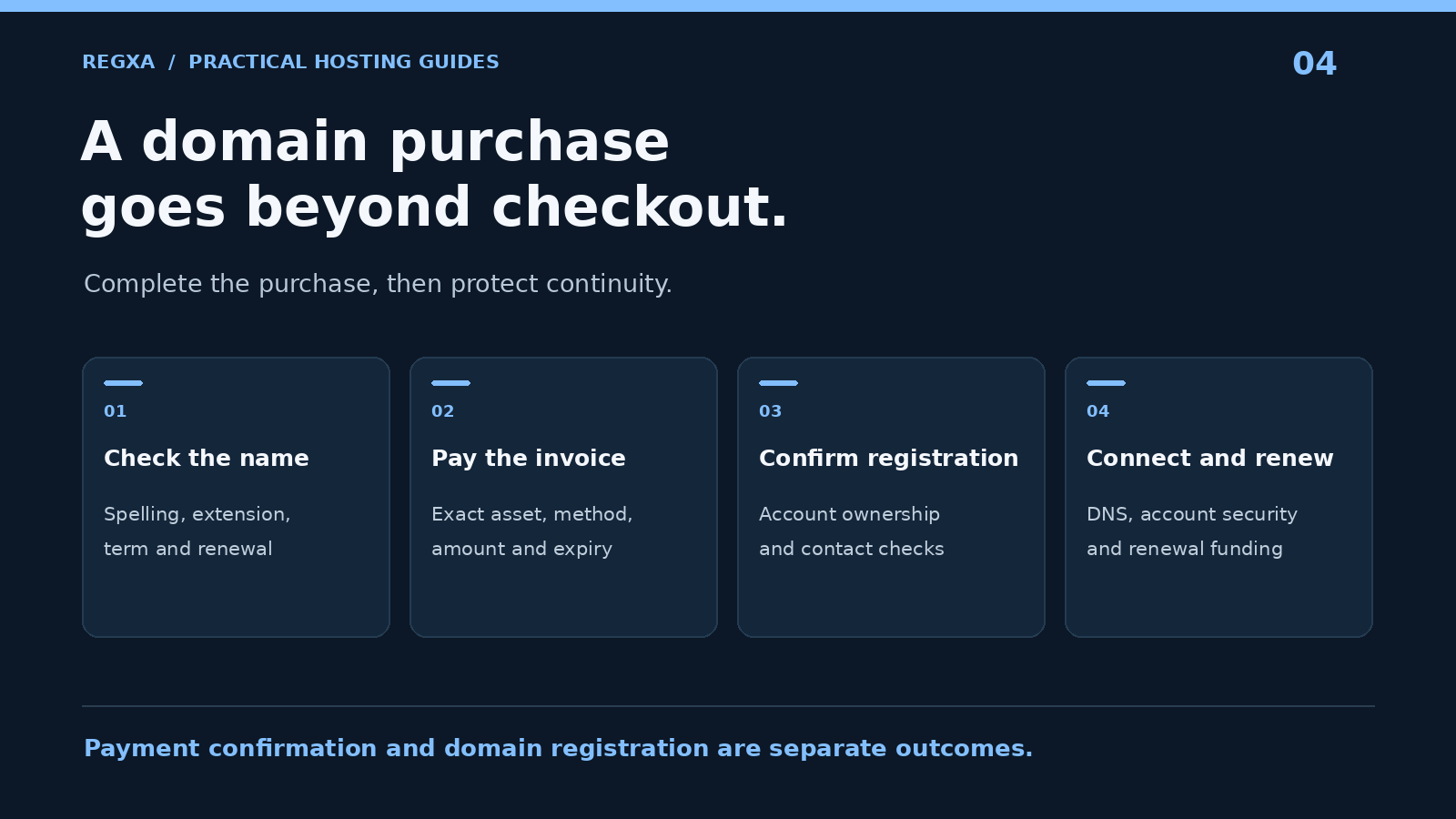
Wait for the paid invoice status, then verify the domain's registration status in your account. A blockchain transaction alone does not prove the registry completed the registration.
If the name becomes unavailable or the order fails, contact support with the order and payment references. Follow the provider's stated resolution process rather than paying for the same name again without checking the first order.
6. Verify contact information and connect the domain
Complete any required email verification and save the registration receipt. Check the expiry date, registrant details, privacy settings, and nameservers.
You can then connect the domain to a website, email service, or other application. If you still need hosting, compare REGXA web hosting or a suitable Linux VPS.
Domain privacy: what it protects
Domain registration information may be redacted or protected through a privacy or proxy arrangement, depending on the extension, registrar, and applicable policy. Confirm the actual public output rather than relying on a generic promise that every extension includes identical privacy.
ICANN distinguishes a privacy service, where the customer remains the registered holder with alternative contact information, from a proxy service, where the service provider is the registered holder and licenses use to the customer. See ICANN's explanation of privacy and proxy services.
That distinction matters if you need to prove control of the name, recover the account, or transfer it. Read the service agreement and understand who holds which rights.
REGXA's crypto domain page advertises cryptocurrency checkout and privacy where supported. Confirm the privacy arrangement for the actual extension you select. Payment privacy, public registration data, and account records remain separate questions.
Connect the domain using the right DNS records
You can use the nameservers supplied by your hosting provider or keep DNS with a separate DNS host. Decide where the authoritative records will be managed so that you do not update an inactive DNS panel.
DNS item | Typical purpose |
|---|---|
Nameservers | Identify the authoritative DNS service for the domain |
A record | Point a hostname to an IPv4 address |
AAAA record | Point a hostname to an IPv6 address |
CNAME record | Alias a hostname to another hostname where permitted |
MX record | Direct incoming email to the email provider |
TXT record | Publish verification or policy information required by a service |
Use the exact records provided by your web or email service. Copying another domain's settings can break delivery or direct visitors to the wrong system.
DNS changes can appear at different times because resolvers cache records. Test the authoritative configuration and allow existing caches to expire. A delay is not automatically a failed registration.
If DNSSEC is supported, coordinate it between the registrar and your authoritative DNS provider. It helps validate DNS data; it is separate from HTTPS encryption for your website. Follow the relevant provider's instructions when changing DNS hosts so that old signing information does not disrupt resolution. Cloudflare's DNSSEC documentation illustrates why those settings must stay coordinated.
Make renewals reliable when paying with crypto
Set renewal reminders before the expiry date and keep account contact details current. If auto-renewal is enabled, confirm how it is funded. A setting labelled “auto-renew” does not by itself mean the provider can withdraw cryptocurrency from your wallet.
Check whether renewal uses an account balance, a new invoice, or another available method. Leave enough time for payment confirmation and any manual reconciliation. For an important business domain, make sure more than one authorized person knows how renewal and recovery work.
If a domain expires, recovery can depend on the extension and its current lifecycle stage, and additional fees may apply. ICANN recommends contacting the registrar or reseller immediately about available options in its expired domain guidance. Do not plan around an assumed grace period.
Keep control of the domain after purchase
A domain can be more business-critical than the server behind it. Protect the registrar account with a unique password and available MFA, and enable the appropriate transfer lock when supported.
Maintain a recovery email that remains accessible if the new domain or its email service stops working. Store account recovery information securely and keep a record of the name's purpose, expiry date, responsible owner, and DNS provider.
Before transferring a domain, document its existing nameservers and important records. A registrar transfer and a DNS migration are different operations. Plan each deliberately rather than changing both at once without checking website and email continuity.
Frequently asked questions
Can I buy a domain with Bitcoin?
Yes, when the provider offers Bitcoin for the order. REGXA has a Bitcoin domain purchase page. Confirm the available payment method on the actual invoice.
Does crypto payment make domain registration anonymous?
No. Payment, registrant information, and public privacy settings are separate. Use accurate required information and check the privacy options for the selected extension.
Can I use USDT or another cryptocurrency?
Use the assets and networks currently offered at checkout. Availability can change, and a matching asset name does not make every network compatible.
Does buying a domain include a website or mailbox?
Not necessarily. Registration provides the domain name for the purchased term. Web hosting, mailbox hosting, and related services must be included explicitly or arranged separately.
Can I renew the domain with crypto later?
Check the provider's renewal payment options and funding model. Record the expiry date and allow time for a renewal invoice to be accepted before the deadline.
Can I get a refund if I misspell the name?
Do not assume so. Registration cancellation and refund rules depend on the provider, registry, timing, and order. Check the spelling before paying and consult the stated policy immediately if you make a mistake.
Register a name you can keep using
The right domain purchase combines an appropriate name, transparent renewal costs, accurate registration details, and secure account control. Crypto can be a convenient payment option when those fundamentals are in place.
Search REGXA's domain registration options and review crypto checkout availability for your chosen name.
Related Topics
Buy a Domain with Crypto: Registration, Privacy and Renewals